local-pilot
Run and control Claude Code from any browser on your tailnet.
A small web app that runs on a single box, drives Claude Code through the Claude Agent SDK, and gives you a mobile-friendly chat UI you can reach from your phone, tablet, or laptop over Tailscale — no SSH session held open, no terminal emulator.
What you get
- Persistent sessions. Each Claude run lives on the server. Start a task, close the tab, reattach from a different device — picks up exactly where you left off.
- Native chat UI instead of a terminal. Tool calls collapse into a per-turn activity log; permission prompts and elicitations render as modals with proper allow / deny / answer controls.
- Multi-session dashboard with an archive view, in-session search, context-window indicator, per-turn token/cost chips, and file-rewind (“undo a botched turn”).
- Images and voice. Drag-drop or paste pictures into chat. Speak to Claude with self-hosted Whisper, hear replies in a natural voice with self-hosted Piper. A conversation mode loops it hands-free.
- Push notifications when a session needs a decision or finishes a turn — so you can walk away and come back when there’s something to do.
Setup
Prerequisites
You need all of these on the host machine (the box you’re running local-pilot on — usually a Linux server, NAS, or workstation):
| Requirement | Why | Install |
|---|---|---|
| Node 20+ | Runs the server and builds the UI | nvm install 20, or your distro’s package manager |
claude CLI |
local-pilot reuses its login & config — you don’t sign into Anthropic again | Anthropic install docs — then run claude once and log in |
systemd |
For the recommended --user service install |
Already on most Linux distros |
| Tailscale | The only network path into the app | curl -fsSL https://tailscale.com/install.sh \| sh |
ffmpeg (optional) |
Only needed for voice input | apt install ffmpeg / brew install ffmpeg |
Install
git clone https://github.com/DaveForan/local-pilot
cd local-pilot
npm install
npm run service:install
That command does four things:
- Builds the React UI into
web/dist. - Installs a systemd
--userservice namedlocal-pilot. - Generates a random access token into
~/.local-pilot/token(mode0600) and prints it to the terminal — copy it somewhere safe, you’ll sign in with it on each device. - Starts the service. It binds
127.0.0.1only — never exposed on your LAN.
Want it to keep running after you log out and across reboots?
sudo loginctl enable-linger "$USER"
Expose it on your tailnet
sudo tailscale serve --bg 8787
That gives you an HTTPS URL like https://<your-host>.<tailnet>.ts.net.
The HTTPS is what makes push notifications and microphone access work in
the browser — both are blocked on plain HTTP except on localhost.
Sign in
- From any tailnet device, open
https://<your-host>.<tailnet>.ts.net. - Paste the token printed at install time.
- The token is exchanged for an
HttpOnlysession cookie — the token itself is never stored in the browser.
Lost the token? It’s at ~/.local-pilot/token on the host. Or rotate it
from Settings → Security → Rotate access token.
Add to your phone home screen
Open the URL in Safari (iOS) or Chrome (Android) → share menu → Add to Home Screen. That gives you a full-screen icon that looks and behaves like a native app, and means push notifications land in your notification tray when a session needs you.
Voice (optional)
Both halves of the conversation loop run on-device — no paid services:
npm run whisper:install   # speech-to-text (whisper.cpp, base.en model)
npm run piper:install     # text-to-speech (Piper neural voices)
systemctl --user restart local-pilot
Without these, the browser’s built-in Web Speech API is used as a fallback — voice still works, just less accurate and more robotic.
Common commands
systemctl --user status local-pilot      # is it running?
systemctl --user restart local-pilot     # restart after config changes
journalctl --user -u local-pilot -f      # tail logs
Mobile interface
The UI is built mobile-first. A floating hamburger sits over the chat on the left edge; everything else hides behind it.
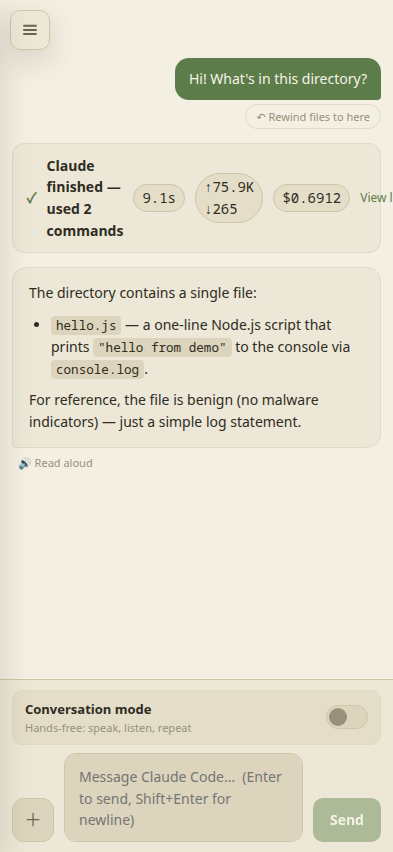
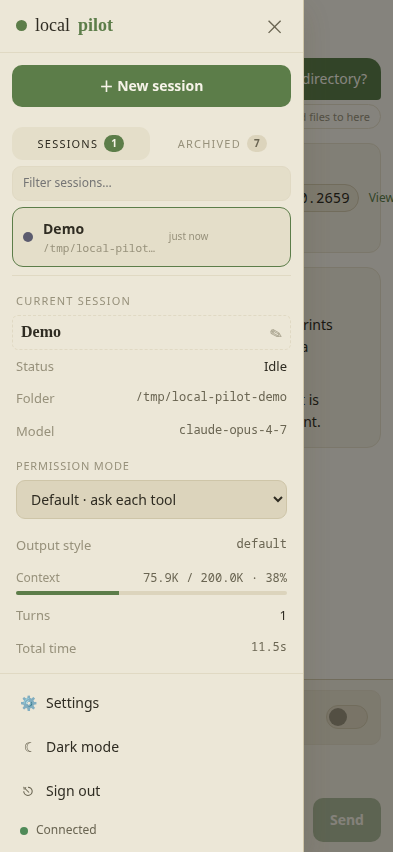
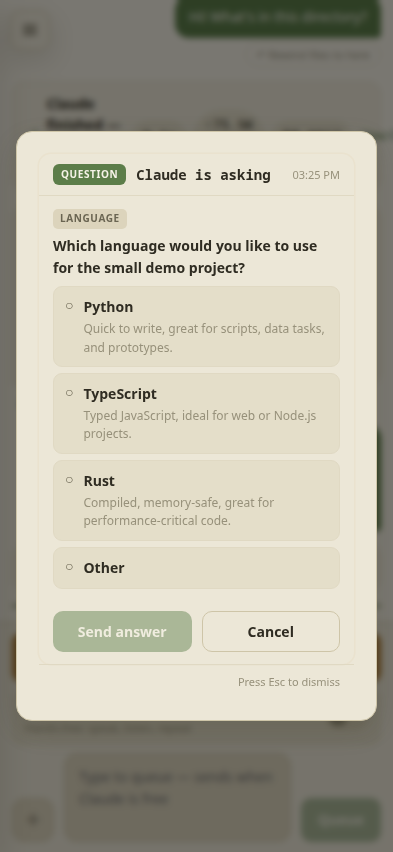
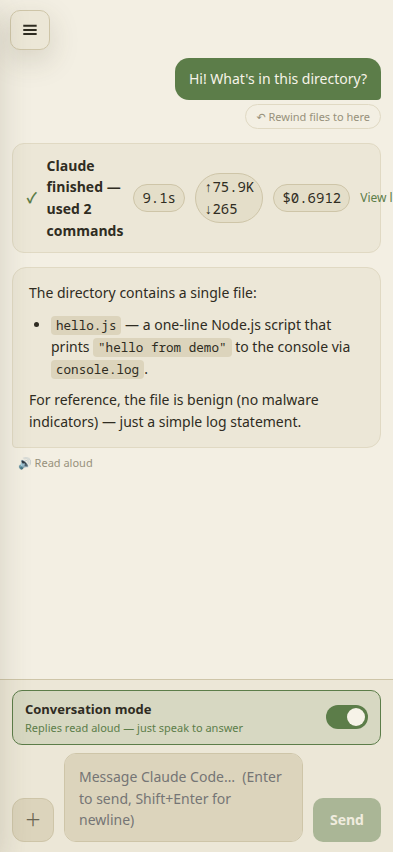
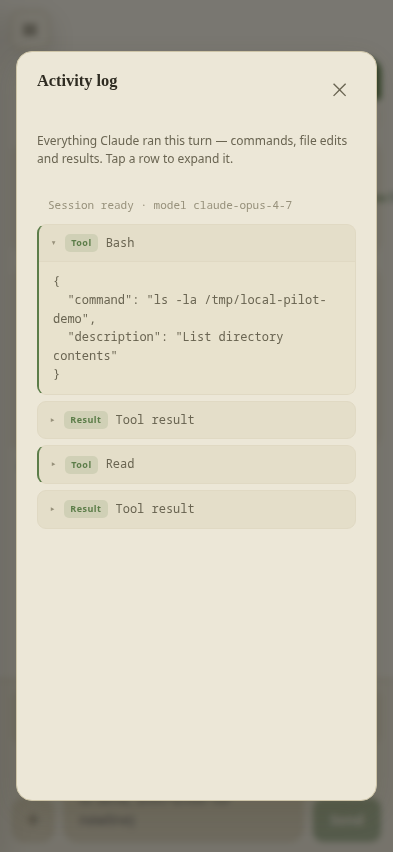
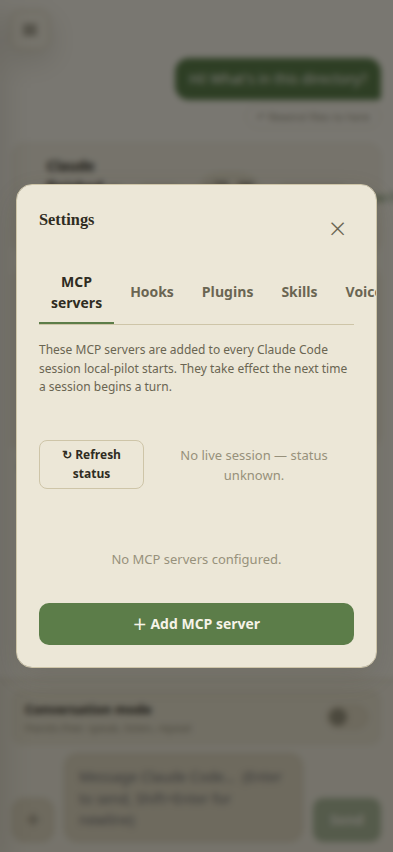
Screenshots will appear here once they're added to
docs/screenshots/. Until then each tile shows a placeholder
with the expected filename — see
docs/screenshots/README.md
for what to capture.
Security model
- Loopback bind. The HTTP server listens on
127.0.0.1only. The only way in istailscale serve, so the attack surface is “anyone on your tailnet who has your access token”. - Token-then-cookie. A 24-byte random access token is generated on
first start (
~/.local-pilot/token, mode0600). Sign-in exchanges the token for anHttpOnly,SameSite=Strict,Securesession cookie — the token itself is never stored in the browser. Sessions are server-side and revocable. - Rate-limited sign-in. 10 failures per IP per 15 minutes.
- Rotation built in. Settings → Security → “Rotate access token” issues a new one and invalidates every other device’s cookie.
What an access token gets you. Anyone holding it can create a session in any directory and have Claude execute tools there — that’s the whole point of the app. Treat the token like an SSH key. The
tailscale servegate limits who can even reach the login page; the token gates the rest.
Configuration
The defaults are sensible. Override via environment variables when launching the service:
| Variable | Default | Purpose |
|---|---|---|
PORT |
8787 |
HTTP / WebSocket port |
HOST |
127.0.0.1 |
Bind address — loopback only |
LOCAL_PILOT_DATA |
~/.local-pilot |
Where state is stored |
LOCAL_PILOT_DEFAULT_CWD |
~/Projects |
Default working dir for new sessions |
LOCAL_PILOT_TOKEN |
(auto-generated) | Override the access token |
LOCAL_PILOT_WHISPER_MODEL |
base.en |
Whisper model |
LOCAL_PILOT_PIPER_VOICE |
en_US-amy-medium |
Piper voice |
To set them for the systemd service, edit ~/.config/systemd/user/local-pilot.service
and add Environment="VAR=value" lines under [Service], then:
systemctl --user daemon-reload
systemctl --user restart local-pilot
Architecture
┌──────────────────────────────────────────────────────────┐
│           Browser (tailnet device, anywhere)             │
│   React + Vite UI · session cookie · WebSocket           │
└────────────────┬─────────────────────────────────────────┘
                 │ HTTPS via `tailscale serve`
┌────────────────▼─────────────────────────────────────────┐
│                local-pilot server (loopback)             │
│  Node + Express · WebSocket hub · auth · push            │
│  SessionManager → one ClaudeRunner per session           │
│  Whisper (STT) · Piper (TTS) spawned on demand           │
└────────────────┬─────────────────────────────────────────┘
                 │ Claude Agent SDK (in-process)
┌────────────────▼─────────────────────────────────────────┐
│   The same Claude Code your `claude` CLI runs.           │
│   Uses your existing login, MCP servers, skills,         │
│   project settings, CLAUDE.md.                           │
└──────────────────────────────────────────────────────────┘
Project status
v1 is feature-complete. See the README on GitHub for the changelog.
License
MIT.
local-pilot is not affiliated with Anthropic. “Claude” and “Claude Code” are trademarks of Anthropic.